
 Written by Eric Gates.
The OVERKILL command can be used to clean up your drawing by combining connected co-linear objects, optimizing polylines and segments AND remove duplicate geometry.
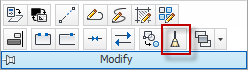
This tool can be accessed from the ribbon or from the command line.
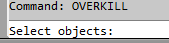
The OVERKILL tool will run on selected objects or a selections set, so the user is prompted at the command line to “Select Objects”
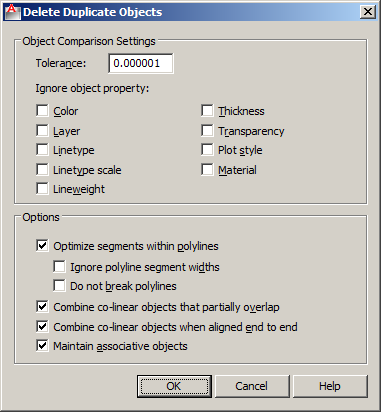
The properties and actions options are all controlled through the dialog box by setting tolerance precision, which if any object properties to ignore, and how to deal with polyline segments and co-linear objects.
Clean with OVERKILL.
It’s been a life saver for me especially when cleaning my 2D dwg files to remove redundant geometry, unwanted duplicate copies of objects, arcs drawn over portions of circles etc. Very good tool.
saved me lots of hours of manual select and delete.how on earth would i have quickly identified each of the duplicated objects. Thanks
for real, this is so helpful
very helpful. Thanks.
Great fix, thank you so much : )
Is there a way to select duplicate objects without deleting them? or retain a selection set of the non deleted elements?