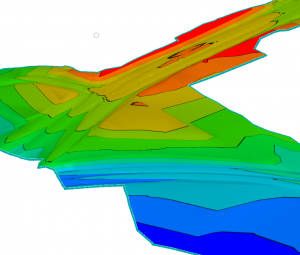
Applies also to OpenRoads Terrain Models in Select Series 3 and 4.
Question: How do I display my terrain models with elevation range bands like I could do using the legacy GEOPAK and InRoads terrain model tools?
- First, select the terrain model.
- Then in Properties, expand the tree at top until you see the triangles settings.
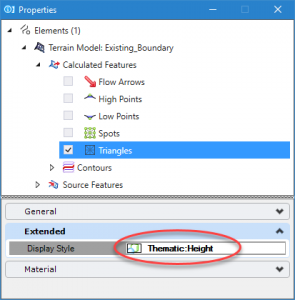
- Change the display style to Thematic Height for the triangles.
- Create a feature definition with this already configured for efficiency
- Notice there are also options for slope thematic and aspect angle.
- By default, the color bands will be smooth shaded
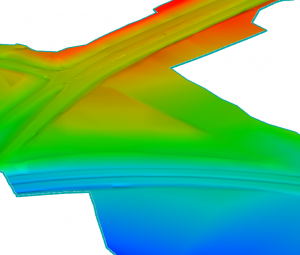
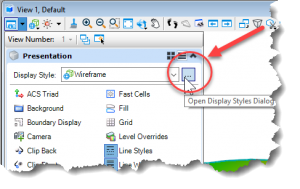
- You can also experiment with types of display other than smooth. Open View Attributes and click on Open Display Styles Dialog.
- Then in the dialog which opens, click on the Thematic Height style, then the edit display button, then adjust the Stepped Display method as shown below.
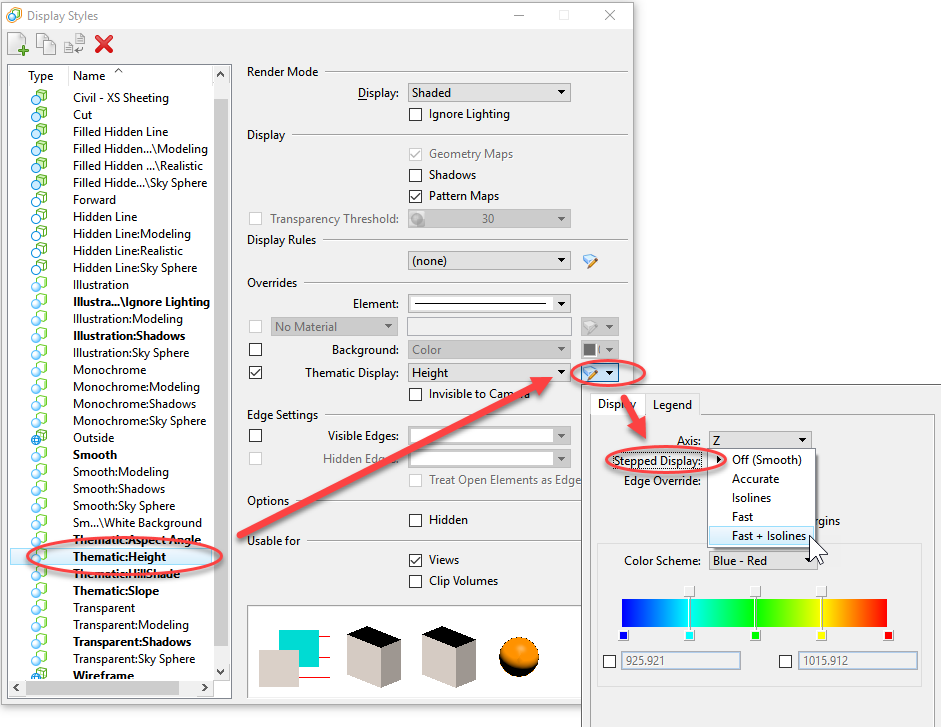
- Fast + Isolines, for example, might provide a pleasing effect.